"Edit" Portion in ODU_ISC3 Interface
If you need to change/edit/modify values and parameters in the input datafile
in between simulations, just click Edit Input File button. Input datafile will
be automatically opened in a Notepad editor instead of starting separate editor
or wordprocessor.
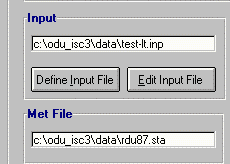 Make edits, then save changes, and exit Notepad editor. Unless you
save the input datafile into different name, you can start a simulation
right away. Meteorological datafile name defined inside of the Input
datafile will then be scanned again, and automatically updated for
your simulation.
If you save the input datafile into different name, you need
to update the input datafile using Define Input File button from the
ODU_ISC3 Interface.
You can edit your input datafile any time by clicking Edit Input File
button from the ODU_ISC3 Interface.
Make edits, then save changes, and exit Notepad editor. Unless you
save the input datafile into different name, you can start a simulation
right away. Meteorological datafile name defined inside of the Input
datafile will then be scanned again, and automatically updated for
your simulation.
If you save the input datafile into different name, you need
to update the input datafile using Define Input File button from the
ODU_ISC3 Interface.
You can edit your input datafile any time by clicking Edit Input File
button from the ODU_ISC3 Interface.
 TOC - ODU_ISC3 Usage

